
Auger Plus
A Chrome extension to tidy up your offers and hide the clutter.
Latest version: 1.0.0
What is Auger Plus?
Auger Plus is a simple Chrome extension built to help you clean up the offers page.
It was originally made for personal use, but everyone has been asking for such a feature so I decided to share it.
How It Works
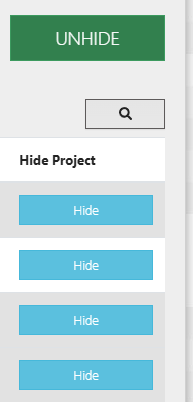
With Auger Plus, each offer gets a handy “Hide” button.
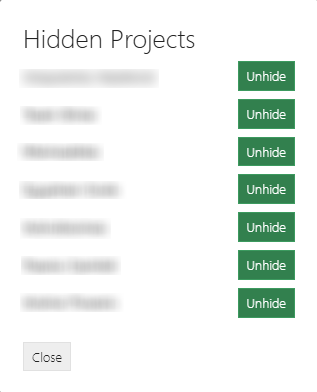
Need to bring something back? A new button appears right next to “Create new” button that lets you view hidden offers and unhide them.
Everything is stored in a cookie, so it’s quick, lightweight, and hassle-free.
Compatibility
Auger Plus works great on its own, but pairs perfectly with BetterAuger.
Together, they make browsing offers a lot less painful.
Download & Install
Getting started with Auger Plus is quick and easy:
- Download the Extension
- Install in Chrome
- Open Chrome and go to
chrome://extensions/. - Enable Developer mode (top right).
- Click Load unpacked and select the extracted Auger Plus folder.
- Open Chrome and go to
- Start Using
- Visit your offers page.
- Use the new Hide button on any unwanted offer.
- Access your hidden offers with the button next to “Create new offer.”
Feedback & Community
Got suggestions, ideas, or found a bug?
Join our Discord server to chat with us, or send an email to contact@starktma.net.
Support the Project
If Auger Plus has made your workflow a little easier, consider supporting development.
Every coffee helps keep the project alive.